
Never send the wrong attachment again.
Preview PDFs and images right inside Gmail, in the emails you receive and the ones you're about to send. No downloads, no new tabs, nothing leaves your browser.
Key Features
Everything you need to preview attachments with confidence
Preview without leaving Gmail
PDFs and images open in a viewer on top of Gmail. Press Esc to go back to your email.
Check before you send
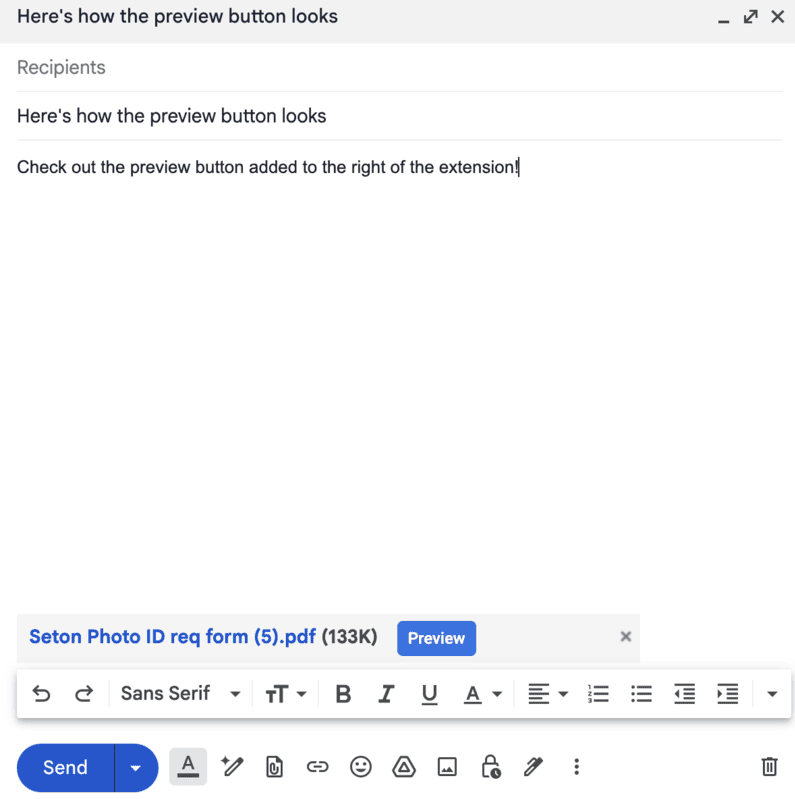
Works in compose, reply and forward, so you can confirm you attached the right file.
No unnecessary downloads
Look at a file without it landing in your Downloads folder.
Built-in PDF viewer
Scroll every page and select text. The viewer is bundled in the extension.
Other files in a new tab
Anything else gets an Open in new tab button next to the attachment.
Private by design
No account, no analytics, no servers. Files only travel between Gmail and your browser.
Stop downloading attachments just to look at them.
Attachment Preview is free and takes a few seconds to install.
Simple, secure, and seamless
Attachment Preview adds a button next to your Gmail attachments. Nothing to set up and nothing to sign in to.
- 1Add Attachment Preview to Chrome from the Chrome Web Store
- 2Open an email in Gmail, or attach files to a new message
- 3Click Preview under a PDF or image
- 4Read it in the viewer, then press Esc to go back
- 5For other file types, click Open in new tab